Hevy – #1 Workout Tracker & Planner Gym Log App

FEATURE

Heart Rate Over Bluetooth

You can connect your Bluetooth heart rate monitor (that supports Bluetooth Low Energy or BLE) to Hevy and have your heart rate data show up in your workouts.

⭐️⭐️⭐️⭐️⭐️  Rated 4.9 by thousands of lifters

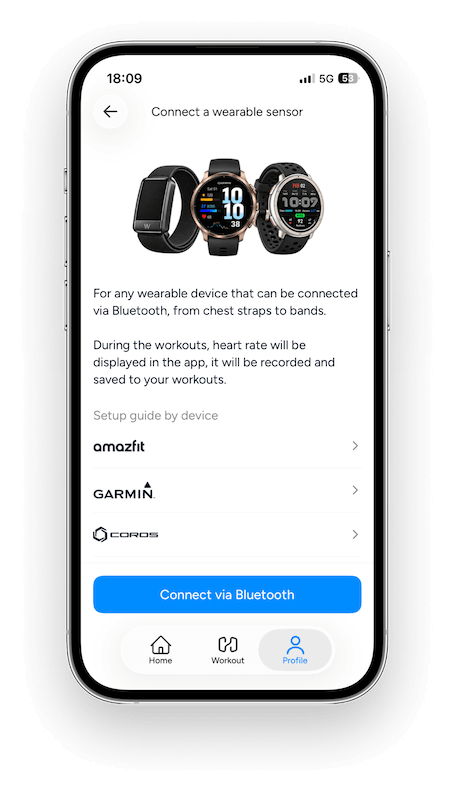
the screen where users can connect their heart rate monitor to Hevy via Bluetooth

Sync Heart Rate With Hevy Workouts

With this integration, your heart rate monitor can automatically send your live HR data while logging a live Hevy workout. Compatible devices include watches, bands, armbands, chest straps, and rings from brands including (but not limited to) Garmin, Coros, Whoop, Polar, and Fitbit.

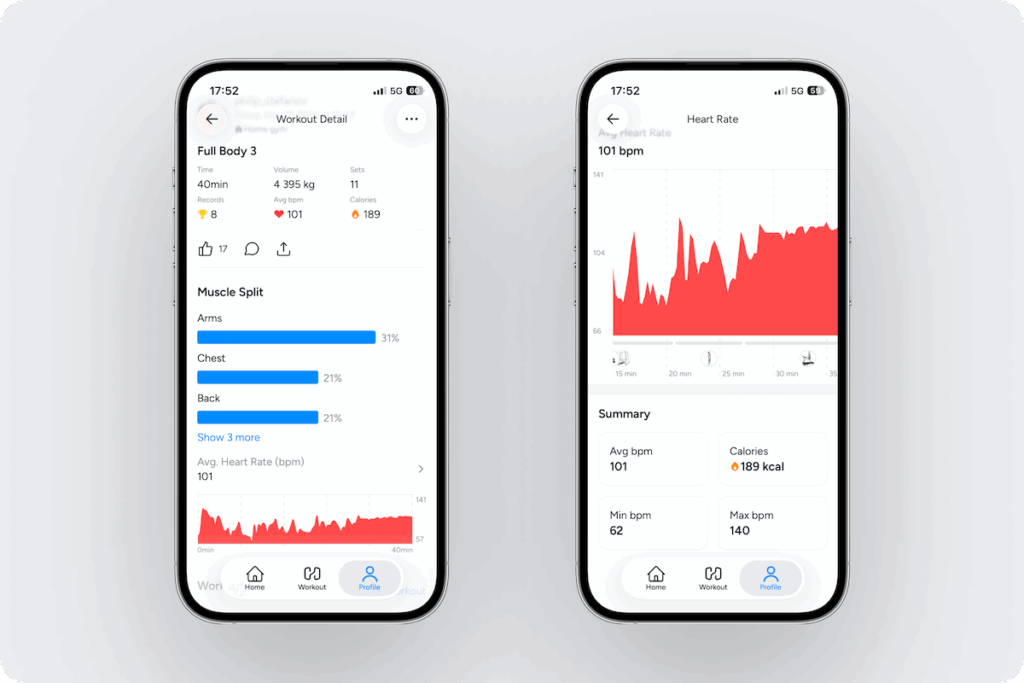
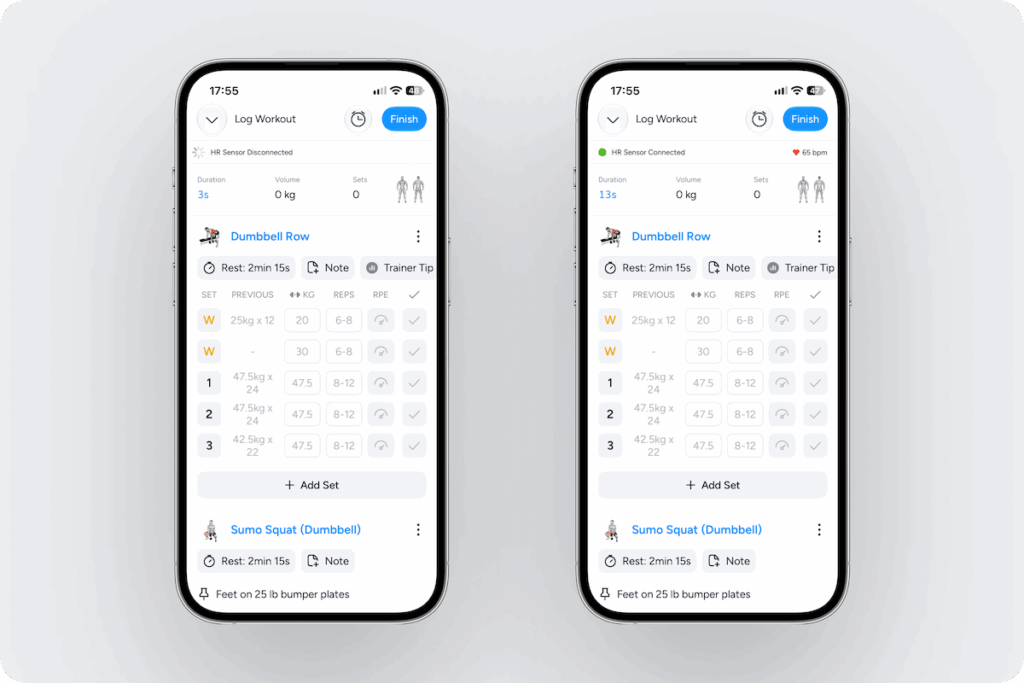
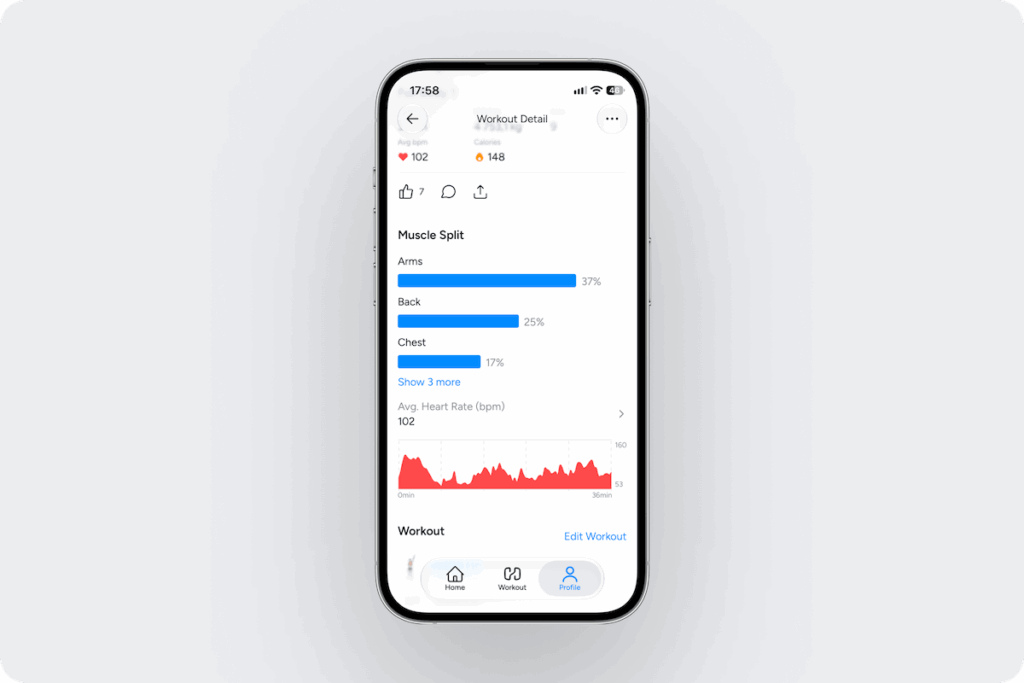
Your real-time heart rate will appear at the top, just below the Finish button. Once you complete the session, the average heart rate will appear next to the session’s duration, volume, and PRs (if any).
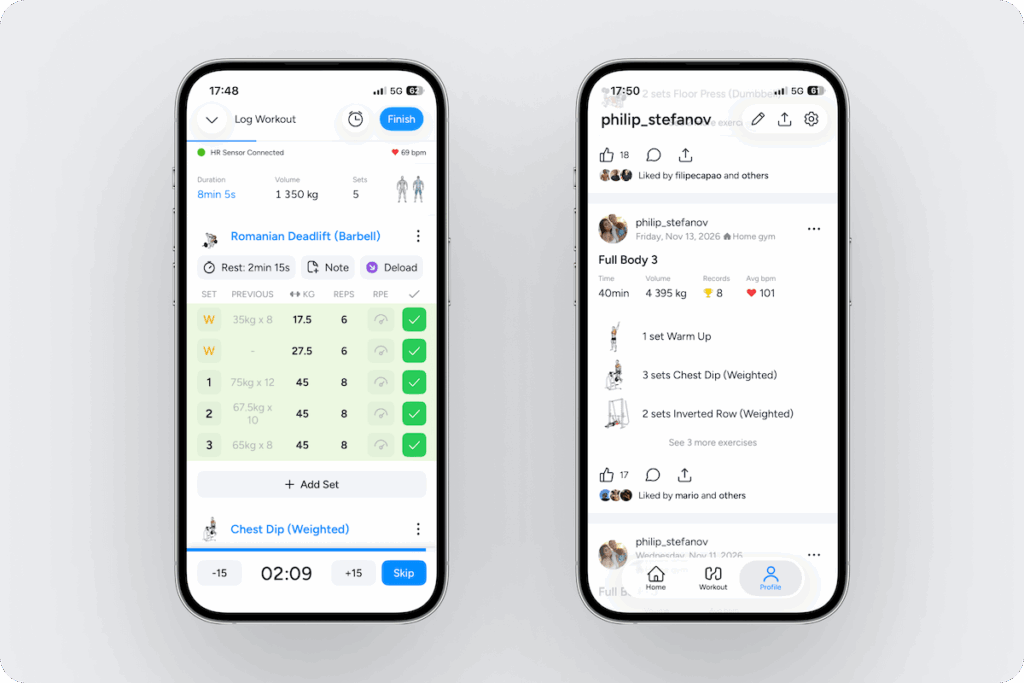
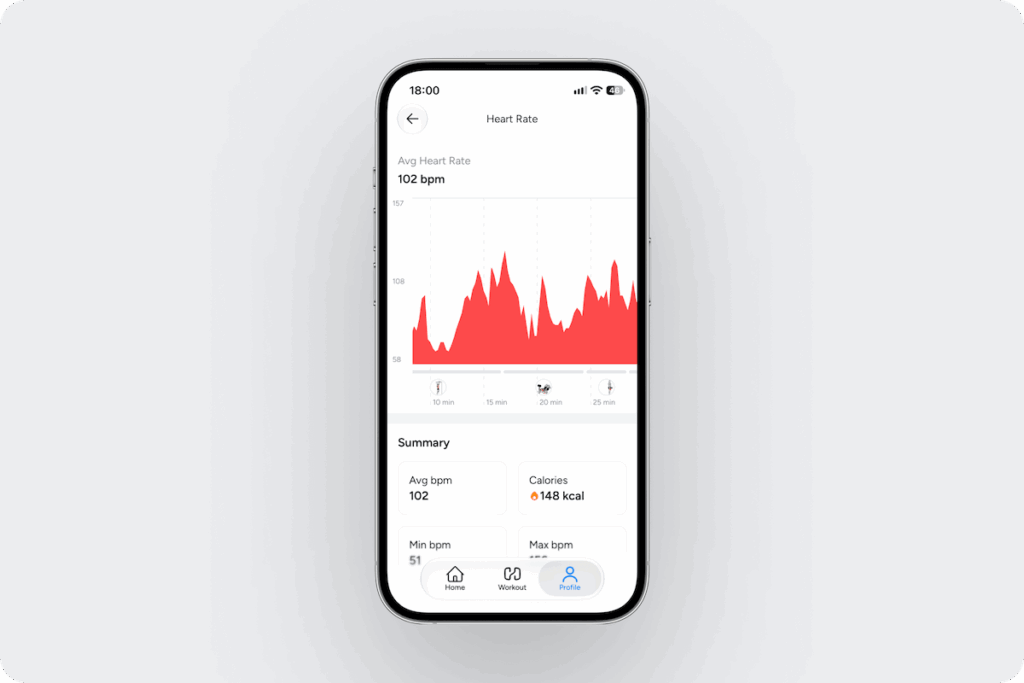
Tap your heart rate value to see a more detailed graph showing how your HR changes throughout the workout and how specific movements affect it.
Heart Rate Visibility in Hevy

If you want to record your heart rate but not show it to others, tap Finish on the top right when you’re done with your session, select Visibility close to the bottom, and adjust the privacy settings: toggle off Show heart rate & calories.
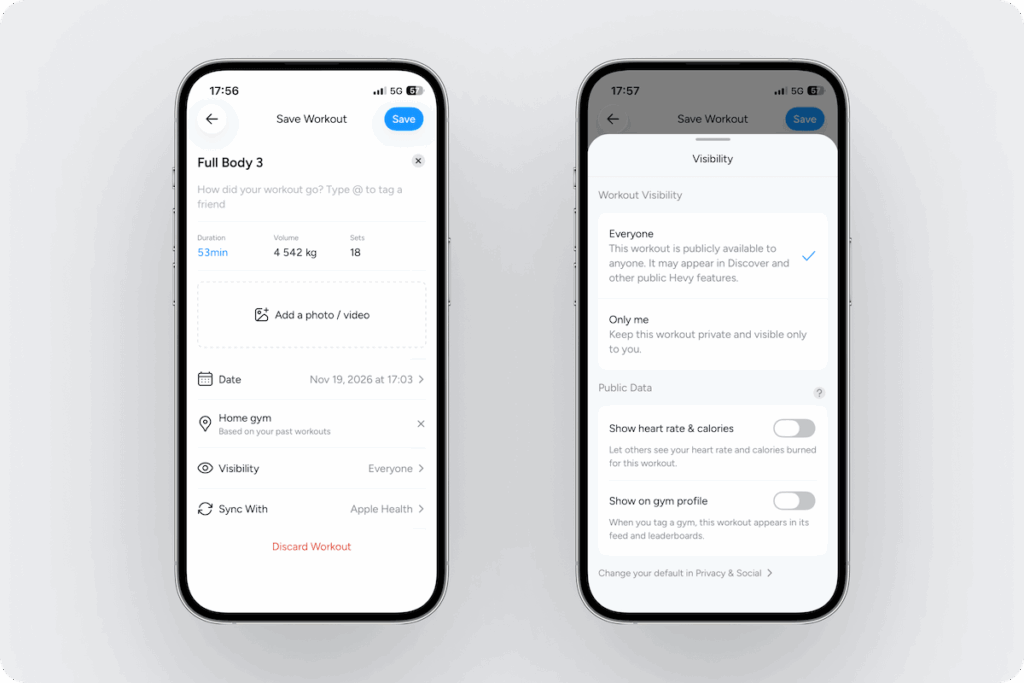
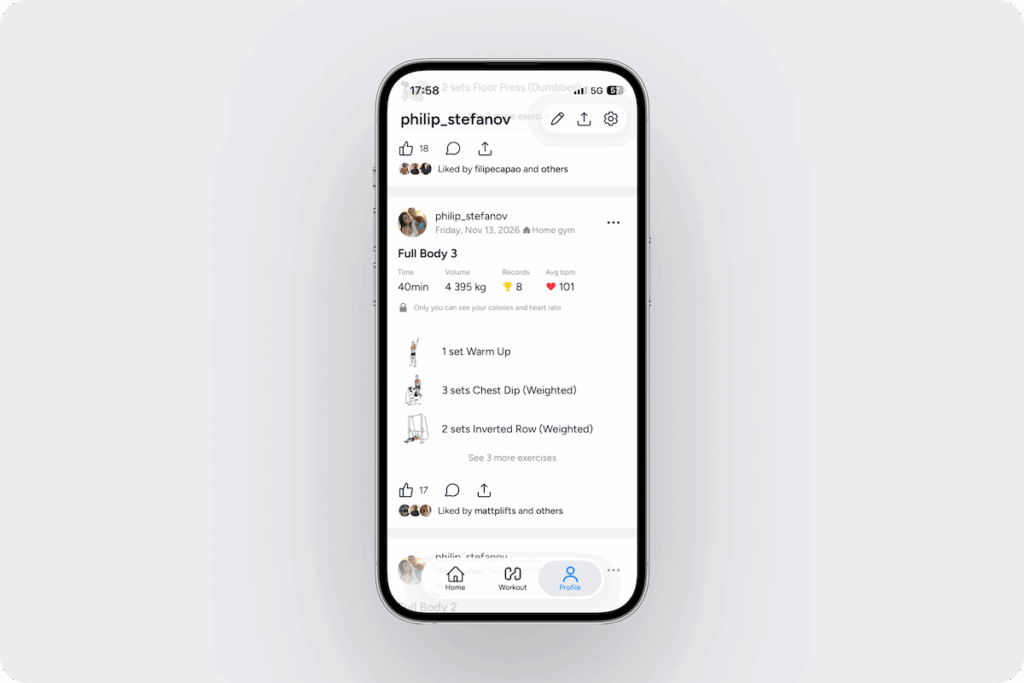
That way, heart rate and calories burned data will be recorded alongside each session, but only you will be able to see it. 
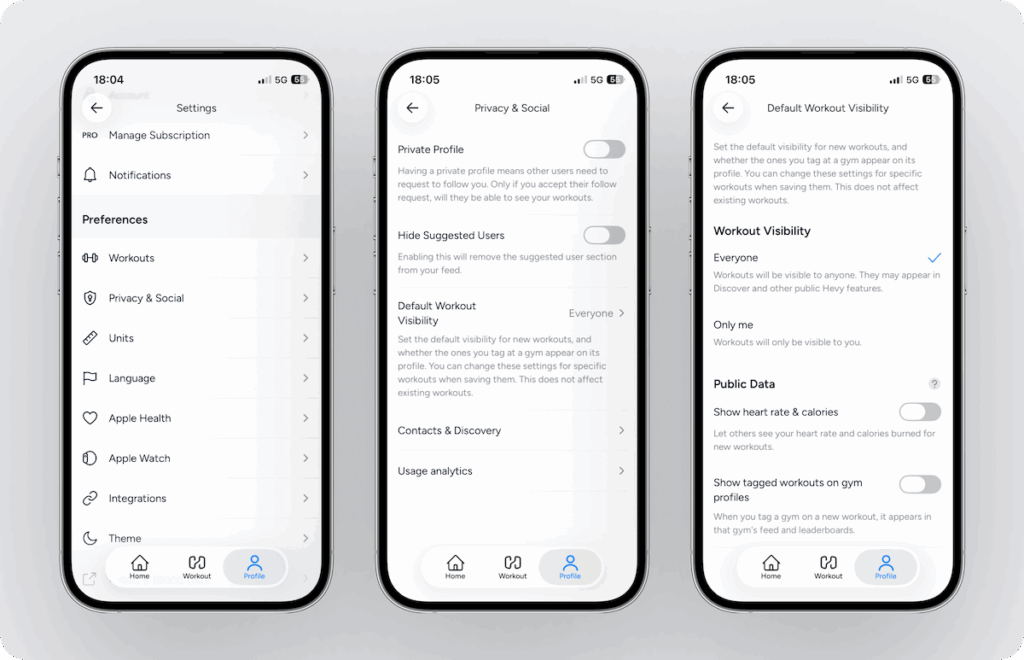
You can also navigate to Profile → Settings (gear icon on the top right) → Privacy & Social (under Preferences) → Default Workout Visibility → toggle off Show heart rate & calories (under Public Data)
How to Integrate Your Bluetooth HR Monitor With Hevy

First, be sure that your device can integrate. Our integration supports Bluetooth HR monitors with the Bluetooth Low Energy (BLE) standard. Most modern consumer fitness monitors have it, so this is only a concern for very old heart rate monitors.

1. Connect Your Device

Go to Profile → Settings (gear icon on the top right) → Integrations (under Preferences)

Scroll to the bottom, where you will find the Wearable Sensor option. Tap Connect and find your device. Find your device by type and tap on it to open a page with some instructions on how to prepare to connect via Bluetooth. This is important; otherwise, your device may not show up in Hevy.
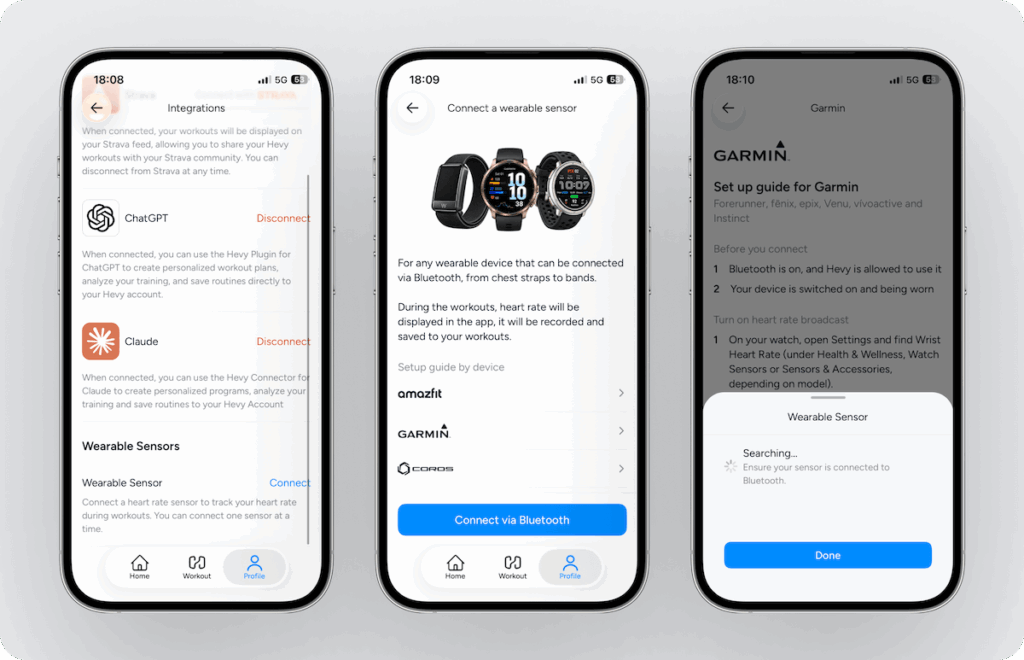
You may need to wait a short while for your device to show up. Once it does, select it and tap Done.
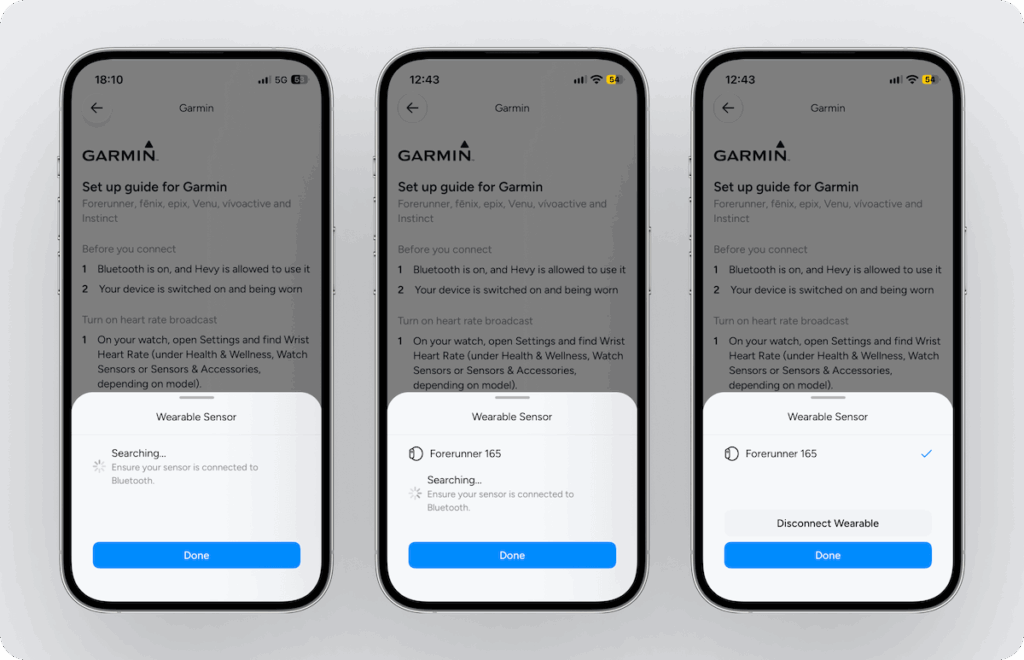
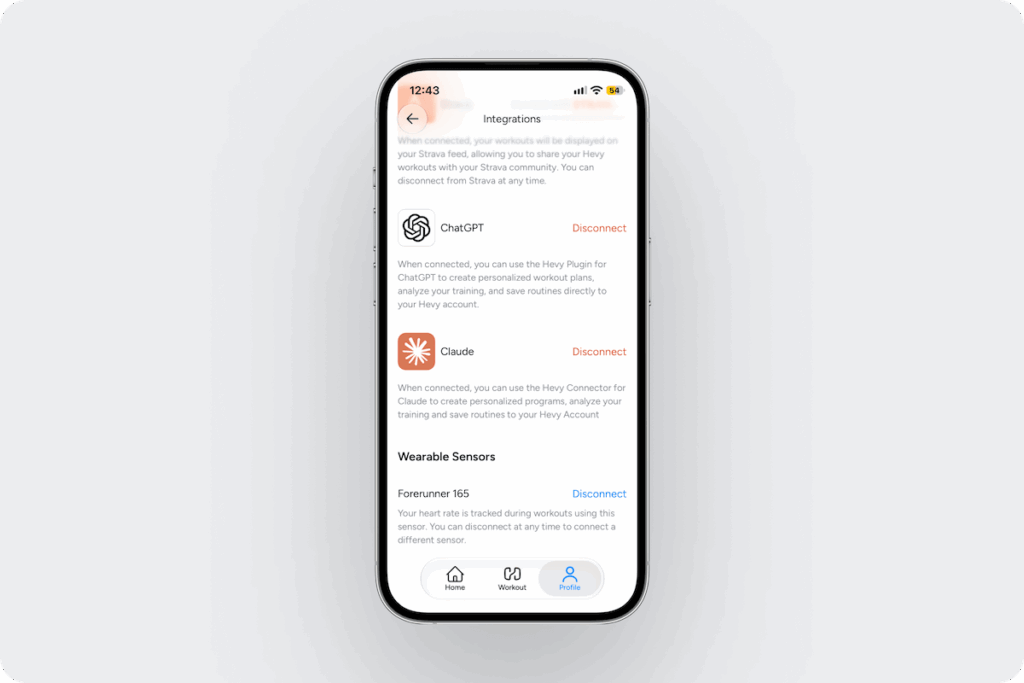
Your wearable will show up in the integrations section with the option to Disconnect.
2. Start Syncing Heart Rate

The integration may work slightly differently depending on your device. But, for the most part, you simply need to:

  1. Start the activity on the wearable (or, in the case of certain devices, from the dedicated app on your phone)
  2. Start your Hevy workout – be it from a saved routine or Trainer, or a new empty workout

Your heart rate monitor will sync with Hevy, and your heart rate will appear in the top right and update in real time. 
3. Save And Access Your Heart Rate Data

Your heart rate data will be saved alongside your workout (as mentioned earlier, it can be made private), allowing you to see a simple graph of your HR for the duration of the session:
Tap on the graph for heart rate information alongside the movements you’ve done in the session:
WORK OUT. TRACK PROGRESS. SOCIALIZE.

Whether you’re a regular person, competitive bodybuilder, or athlete, Hevy allows you to log sessions, track progress, and socialize.

Log Workouts

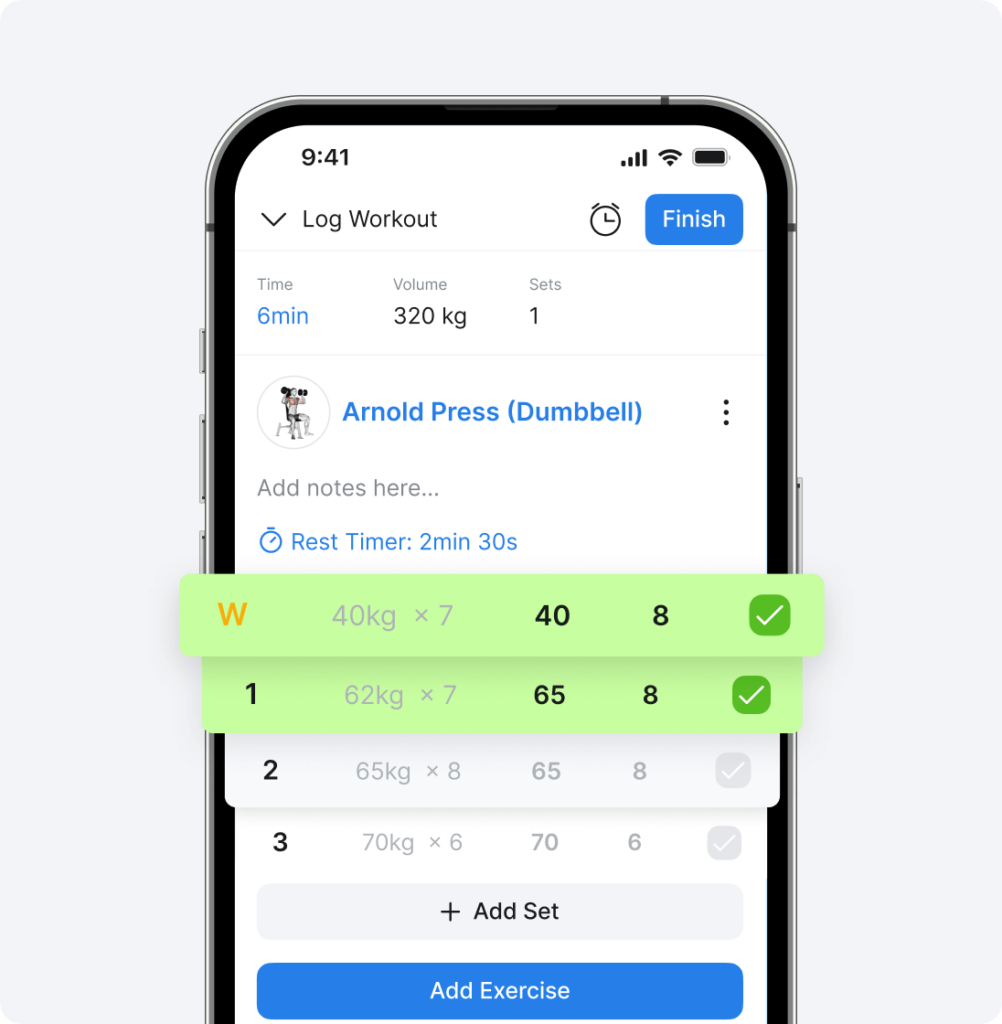
Marking workout sets as complete in Hevy app

Analyze Your Results

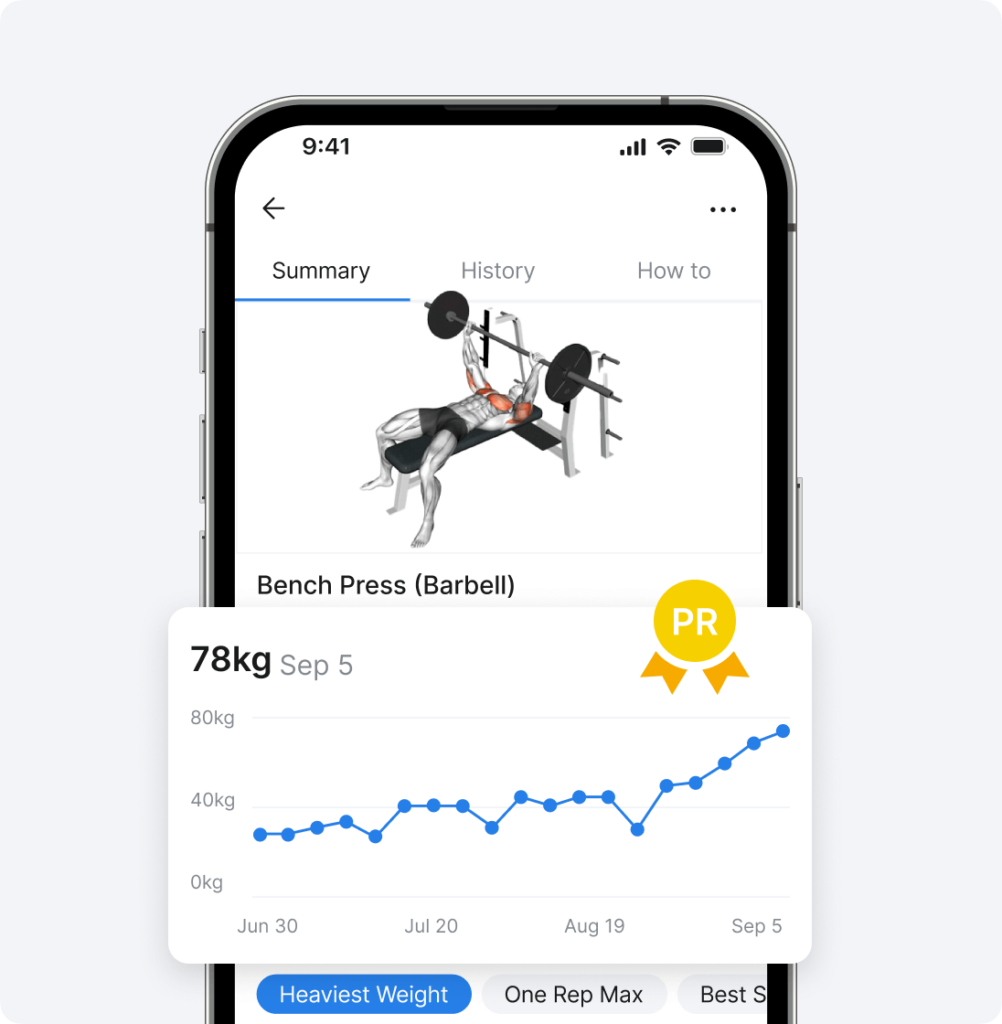
A look at the Hevy app's progress-tracking options

Engage With Others

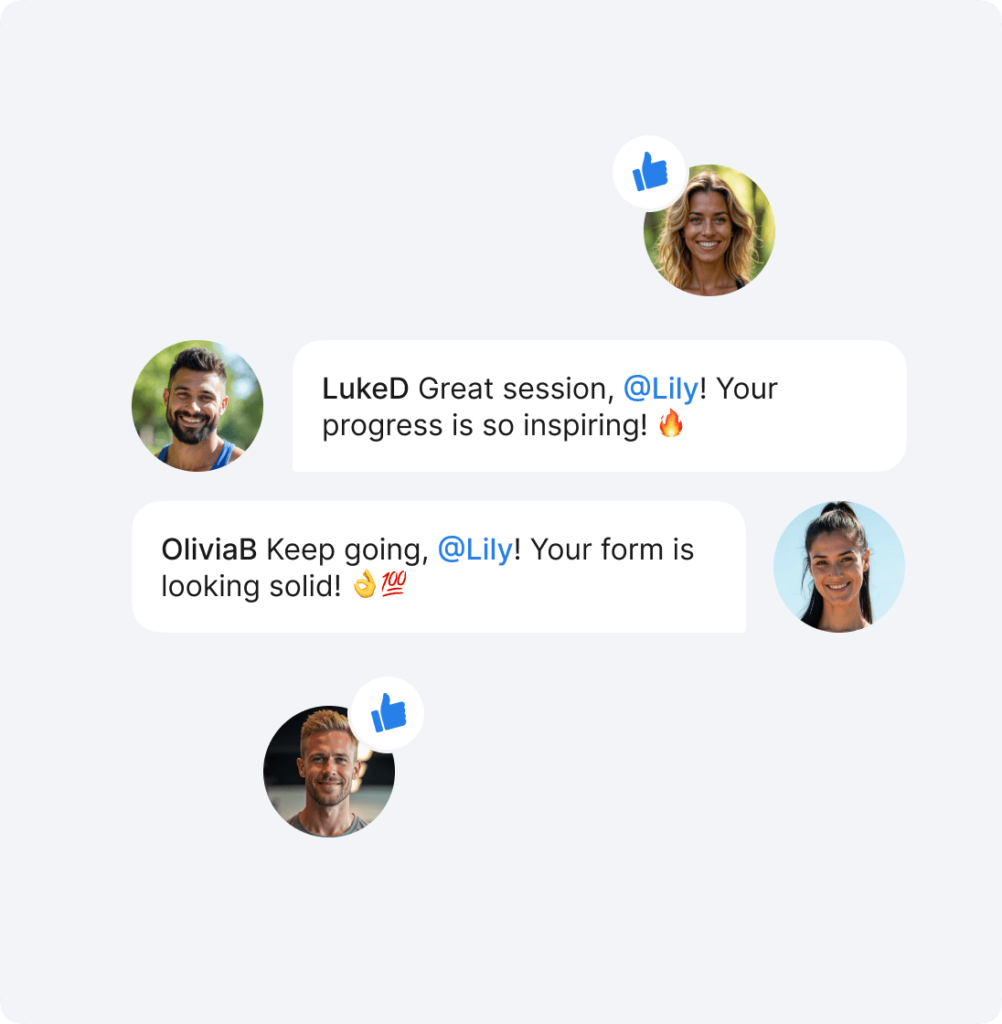
An overview of Hevy's social aspect

El-jefe-kyle

Rated 5 out of 5

Best workout tracking app

This is by far my favorite workout tracking app. You can tell that the creators work out themselves because they know how important it is to be able to label drop sets, failure sets, supersets, etc. It allows me to track everything I need. When if it’s been a while since I did an exercise I can easily take a look at my history.

Outthere18

Rated 5 out of 5

Kept Me Accountable

I have been using this app since January. I love it. It’s the thing that had kept me in the gym this year because it helps me see results. I love how it syncs with my watch and I can input the weight and reps on my watch or phone. I appreciate that it supplies workouts for different splits so I don’t need to pay for a trainer. I love how it holds the last rep and weight from the previous time I did the exercise.

mc_______

Rated 5 out of 5
Really helpful illustrations

My focus now is on building functional strength to avoid injuries as I age. Coming back to lifting as an adult with moderate gym anxiety, the Hevy app has helped me track progress on my weights and allowed me to make intelligent choices about increasing the amount I’m lifting. I really appreciate the illustrations and animations that help me learn new movements.

Yes. Heart rate over Bluetooth works on iOS and Android. Update Hevy to the latest version, then go to Profile → Settings → Integrations → Wearable Sensor.
Make sure your device is actively broadcasting heart rate. Pairing alone isn’t enough. Many watches require broadcast mode or a workout to run on the watch itself. If you use a Fitbit with Google Health, check that heart rate sharing is turned on, and that it’s still on after you start your Hevy workout.
On most watches, yes. You need to start broadcasting for each session. On Garmin, you can turn on Broadcast Heart Rate in your Strength activity’s settings so it starts automatically whenever you begin a strength activity on the watch.
Yes, if your watch can broadcast heart rate over Bluetooth Low Energy. Many Garmin, Coros, Polar, Amazfit, and Whoop devices can. Check your device’s settings for a “broadcast heart rate” or similar option.
Yes, as long as your heart rate syncs during your Hevy workout and the Strava integration is active, HR data will be saved alongside workouts imported to Strava.