Gyms in Hevy
Hevy’s newly introduced gyms allow users to tag the gyms they work out in, see other members who use Hevy along with their workouts, and compete in exercise performance and workout frequency leaderboards.
How to Use Gyms
1. Tag Your Gym
Once you finish a workout, tap on the Gym row, find your gym, and tag it. You can find your gym based on location (if enabled) and use the search bar.
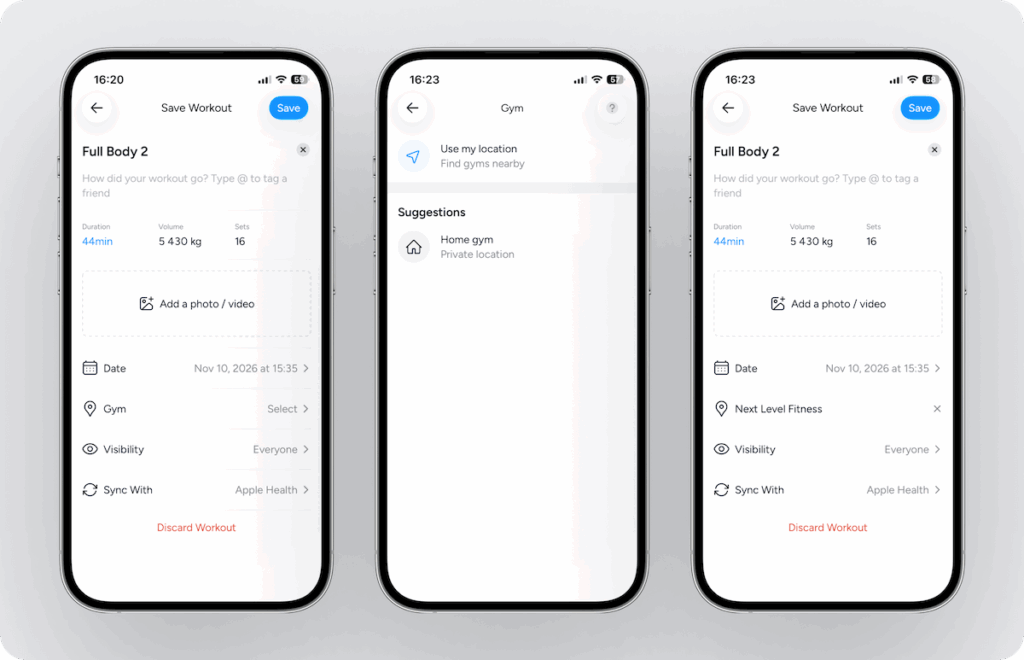
Tagging your gym is completely optional. You can also select to hide your workouts from the gym’s feed. One option is the Visibility row before saving your workout (to hide specific workouts if you prefer):
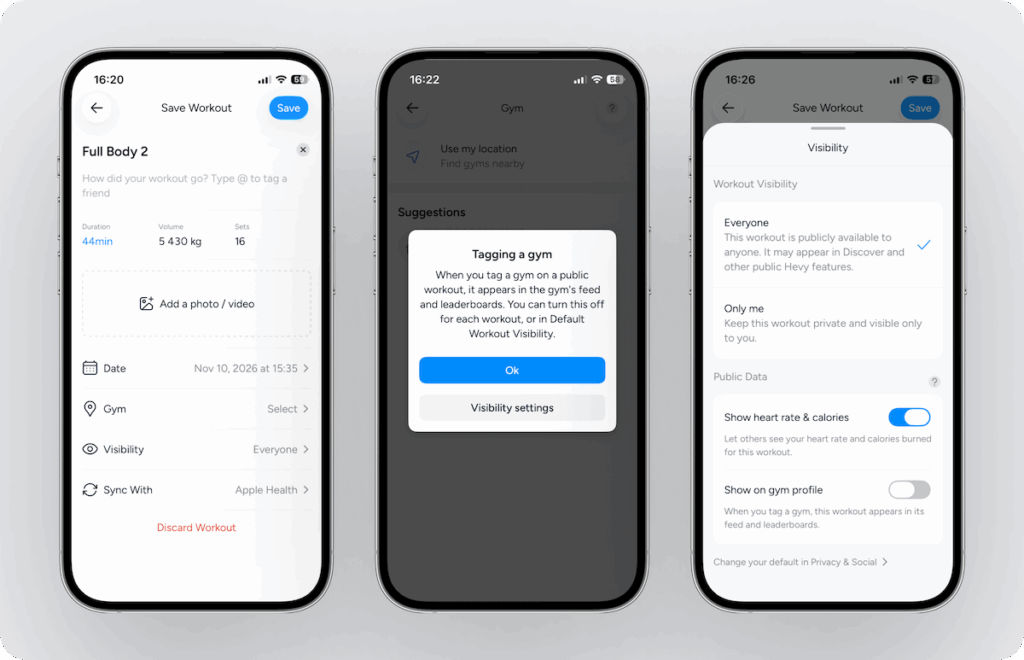
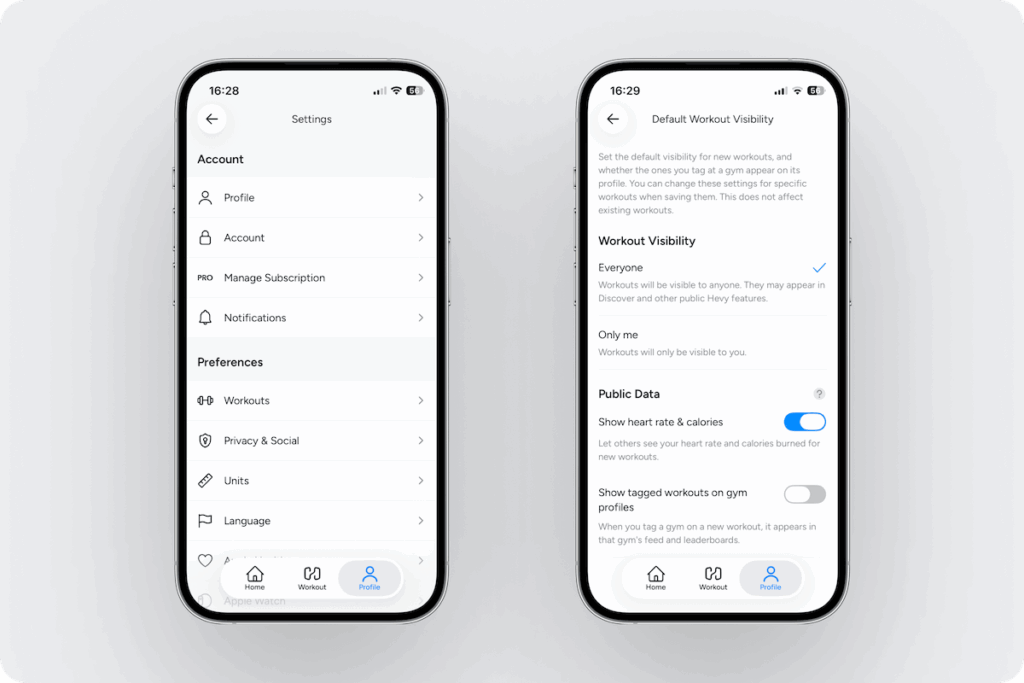
And the other is to change the default setting by going to Profile > Settings (gear icon on the top right) > Privacy & Social (under Preferences) > Default Workout Visibility > toggle switch on Show tagged workouts on gym profiles
2. See Other Members and Their Workouts
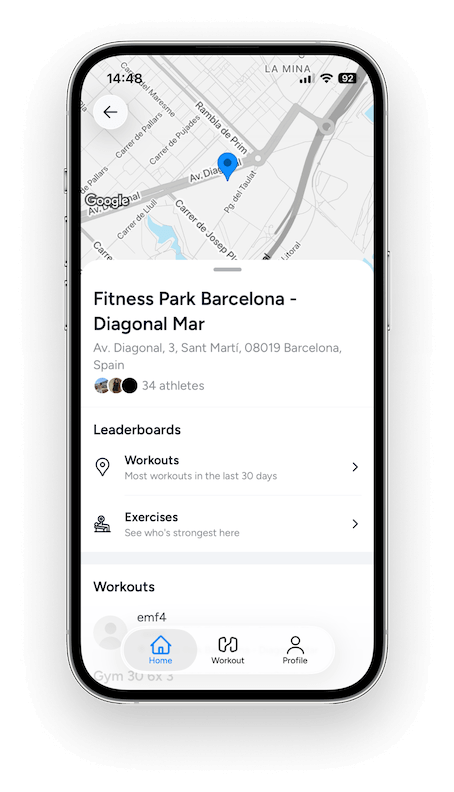
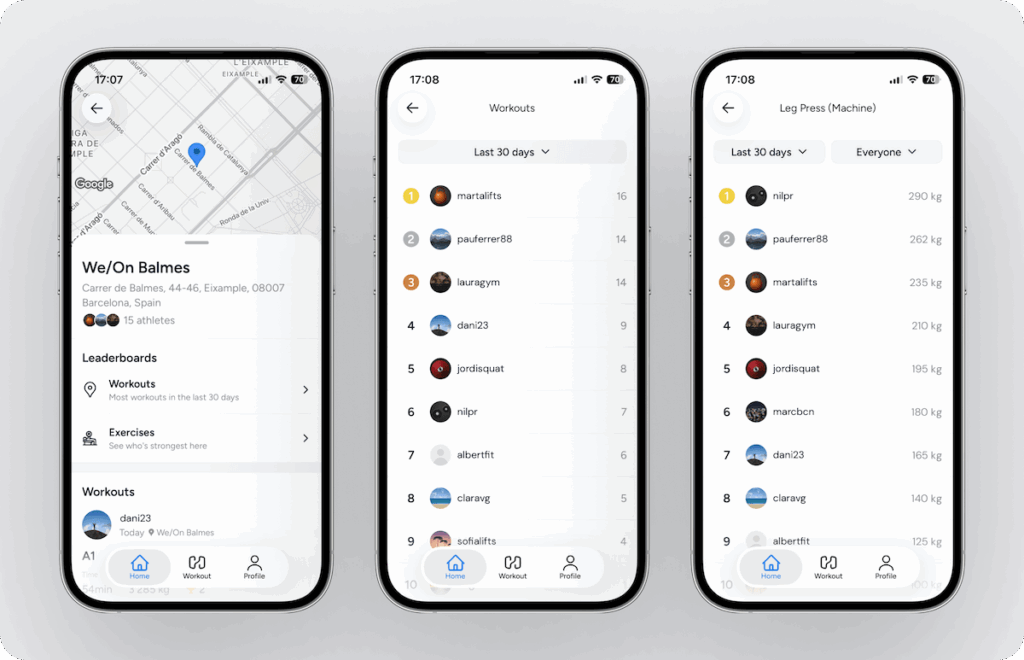
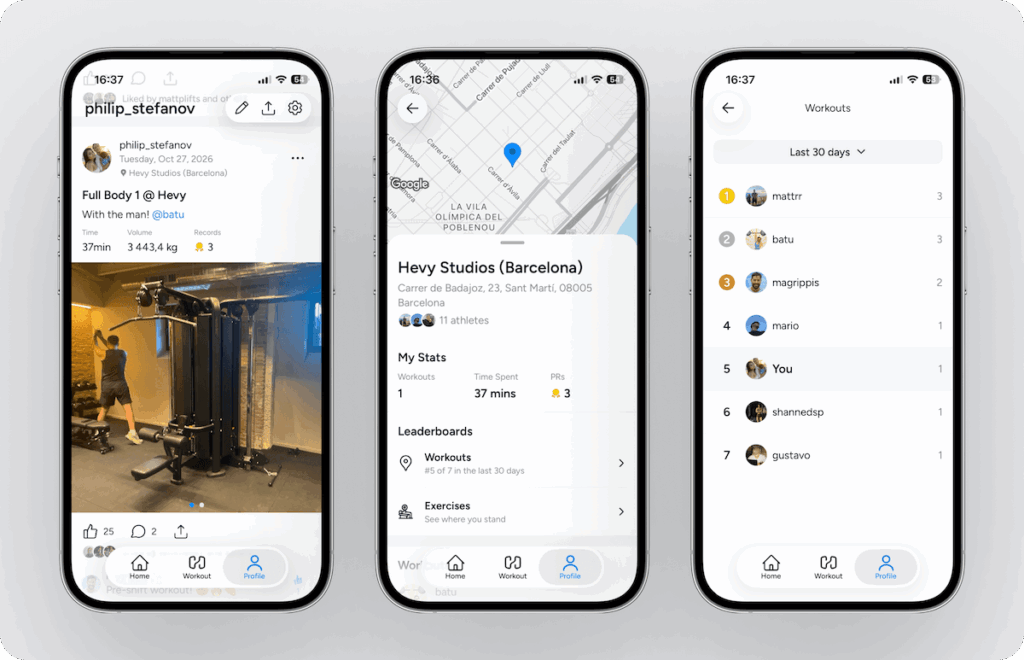
Go to the Profile tab and scroll down to your completed workouts. Below the workout date, you will see the gym you’ve tagged. Tap on it to open the gym, where you can see:
- The number of athletes who’ve tagged the gym
- Your stats (number of workouts, time spent, and number of personal records)
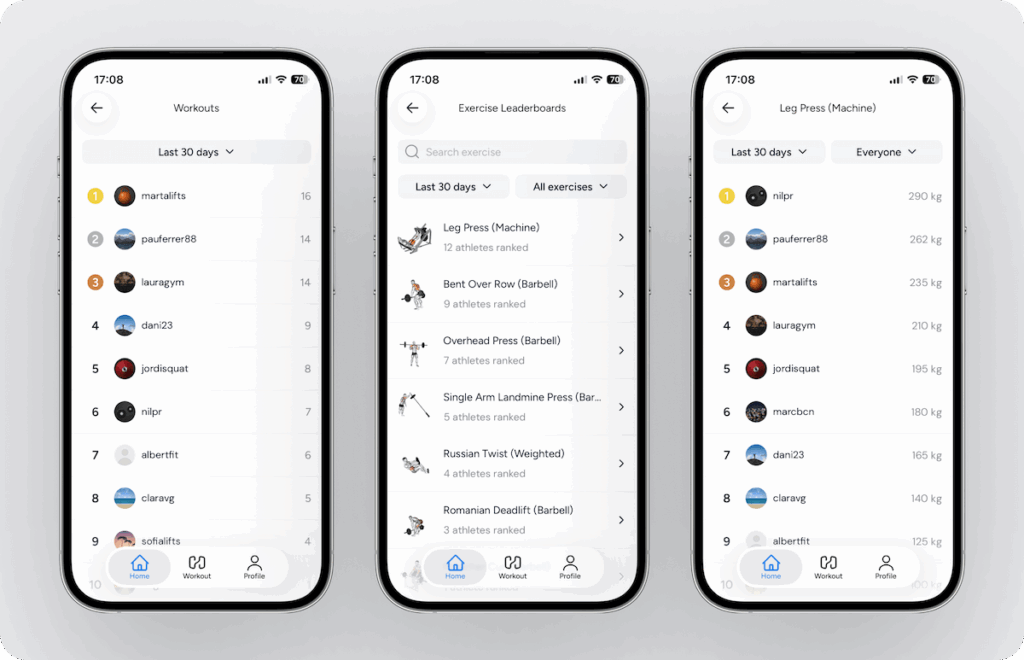
- Leaderboards for number of workouts completed in the last 30 days, 3 months, or all time)
- Exercise leaderboards that show all the exercises logged in the gym and the top performers
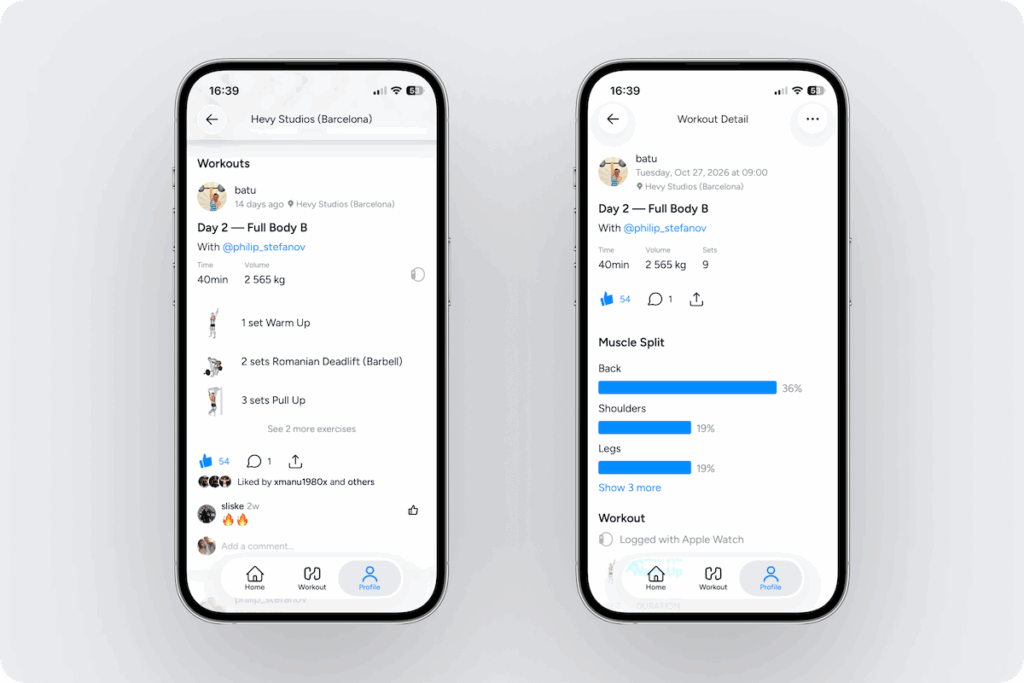
Scroll down to see other members’ workouts at the gym and tap on any of them for details.
3. Compete on the Leaderboards
See how you stack up against other members of your gym based on:
- The number of workouts you’ve done
- Your performance on individual lifts