
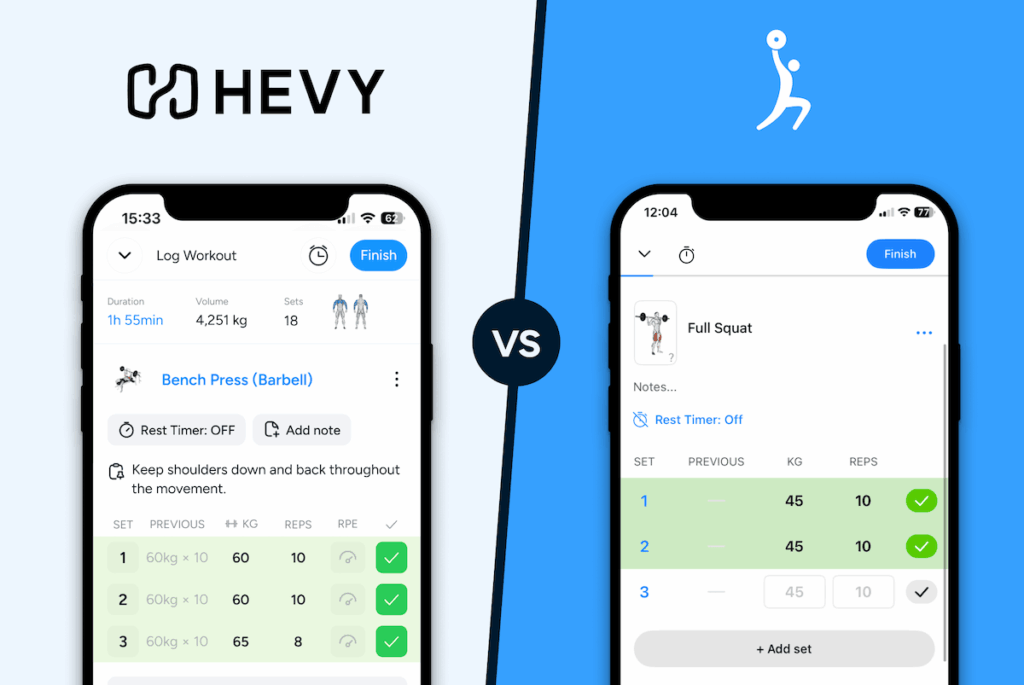
Lyfta is a workout tracker that lets users create and schedule workouts to track progress at the gym or at home. It offers free workout logging, PR tracking, AI-generated workouts, and data import from other fitness apps, with a premium tier for deeper analytics, charts, and strength standards.
TL; DR
| Hevy | Lyfta | |
| Best For | Lifters who want fast set logging, offline reliability, and in-depth progress tracking | Lifters who want fast set logging with a large exercise library and community programs |
| Pricing | $2.99/month $23.99/year $74.99/lifetime | $9.99/month $49.00/year $149.00/lifetime |
| Free Version | Yes | Yes |
| Platforms | iOS, Android, Apple Watch, Wear OS, Web App | iOS, Android, Apple Watch, Wear OS, Web App |
| Logging Speed | Intuitive set logging with inline RPE input and an auto rest timer | Intuitive set logging with extensive set-type coverage and auto rest timer |
Jump to the summary and final verdict.
The Basics
| Element | Hevy | Lyfta | Winner |
| Free version1 | Yes, unlimited logging, plus leaderboards, monthly reports, and 3 months of performance data | Yes, unlimited logging and routine creation, with analytics behind Premium | Tie1 |
| Price & plans2 | $2.99/month $23.99/year $74.99/lifetime No free trial | $9.99/month $49.00/year $149.00/lifetime 14-day free trial | Hevy2 |
| Platforms | iOS, Android, Apple Watch, Wear OS, Web App | iOS, Android, Apple Watch, Wear OS, Web App | Tie |
| Switching and lock-in | Import from Strong, export data as CSV | Import from Strong, Hevy, FitNotes, Fleek, Fitbod, and StrengthLog, export data as CSV | Lyfta |
| Integration | Strava, ChatGPT, Claude, Apple Health, Health Connect | Strava, Apple Health, Health Connect | Hevy |
Free version1 (Winner: Tie)
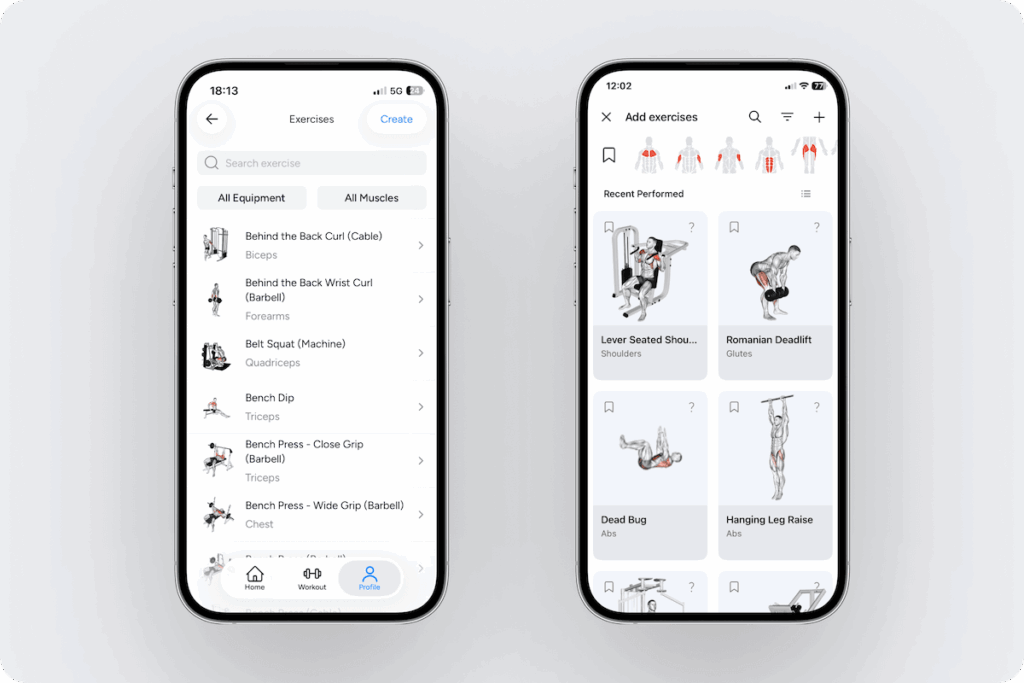
Both free tiers are ad-free, though Lyfta shows pop-ups for Premium, and both include unlimited workout logging. Hevy caps saved routines and custom exercises but keeps more of your training history free. Lyfta removes the routine cap but puts long-term analytics behind Premium. Its 5,000+ exercise library includes many variations of each movement (e.g., machine chest press), though finding the exact one can take some scrolling.
Free tier comparison
| Feature | Hevy Free | Lyfta Free |
| Ads | None | None (Premium pop-ups) |
| Workout logging | Unlimited | Unlimited |
| Exercise library | 450+, with animations and instructions | 5,000+, with demo animations |
| Saved routines | Up to 4 | Unlimited (no cap found in testing) |
| Custom exercises | Up to 7 | Unlimited in testing (listed as Premium) |
| Programs | 26 curated splits plus routine library | Hundreds of community programs |
| AI routine creation | Via ChatGPT & Claude plugins | In-app |
| Graphs & charts | Per-exercise graphs; muscle and performance charts limited to last 3 months | Duration, volume, and workout charts, up to 12 months |
| PRs per exercise | Yes | Yes |
| Training calendar | Multi-year | Past month |
| Body measurements | Weight, waist, and BF% | Premium only |
| Monthly reports | Yes | No |
| Competition | Leaderboards | Monthly challenges |
Price & plans2 (Winner: Hevy)
Hevy does not offer a free trial for Pro. The Pro tier unlocks:
- All-time performance data
- Set count per muscle group
- Unlimited routines
- Unlimited custom exercises
- Warm-up calculator
- Hevy Trainer
Lyfta has a 14-day free trial for Premium, which unlocks:
- Post-session workout analysis
- Strength benchmarking
- All-time chart views
- More programs
- Body measurement tracking
- Monthly performance insights
- Plate calculator
- Warm-up auto-insert
- Monthly/weekly workout log
Hevy is cheaper at every tier, though both have a lifetime option. Lyfta’s Premium bundles more individual features, but most of them revolve around analytics and suggestions. Hevy’s Pro is more consolidated and adds value for a lower cost, so it wins this category.
Core Lifting Experience
| Element | Hevy | Lyfta | Winner |
| Logging speed and UX1 | Intuitive interface, 2-tap set logging or 1-tap repeat set logging, auto rest timer, inline RPE entry | Clean interface, 2-tap set logging or 1-tap repeat set logging, auto rest timer, separate RPE entry under ‘reps’ | Tie1 |
| Plate and bar weight calculator | Yes (free version) | Yes (Premium) | Hevy |
| RPE or RIR entry | Yes (RPE, free version) | Yes (RPE or RIR, free version) | Tie |
| Supersets and circuits | Yes (free version) | Yes (free version) | Tie |
| Create and customize routines2 | Yes (add exercises, sets, weight, reps, rest timers, and notes) | Yes (add exercises, sets, weight, reps, rest timers, and notes) | Lyfta2 |
| Exercise library | 450+ exercises with demo animations, how-to instructions, and info on primary and secondary muscle targets | 5,000+ exercises, with demo animations and info on primary and secondary target muscles | Lyfta |
| Custom exercise creation | Yes (limited to 7 in the free version) | Yes, unlimited in the free version during testing (listed as a Premium feature on Lyfta’s site) | Lyfta |
| Program library3 | Free library with 26 full splits for all levels, and numerous routine categories including travel, bodyweight, suspension kit, and resistance band workouts | Mostly free library with hundreds of programs, with categories including muscle or strength building, fat loss, at home, PPL and other splits, sport-specific and coach programs; the library includes community programs | Depends on What You Value3 |
| Progression and history4 | Yes (free and Pro) | Yes (free and Pro) | Hevy4 |
| Onboarding and learning curve | Quick onboarding and intuitive learning curve | Longer onboarding with soft paywall | Hevy |
| Offline reliability5 | Almost fully functional | Mostly functional | Hevy5 |
Logging speed and UX1 (Winner: Tie)
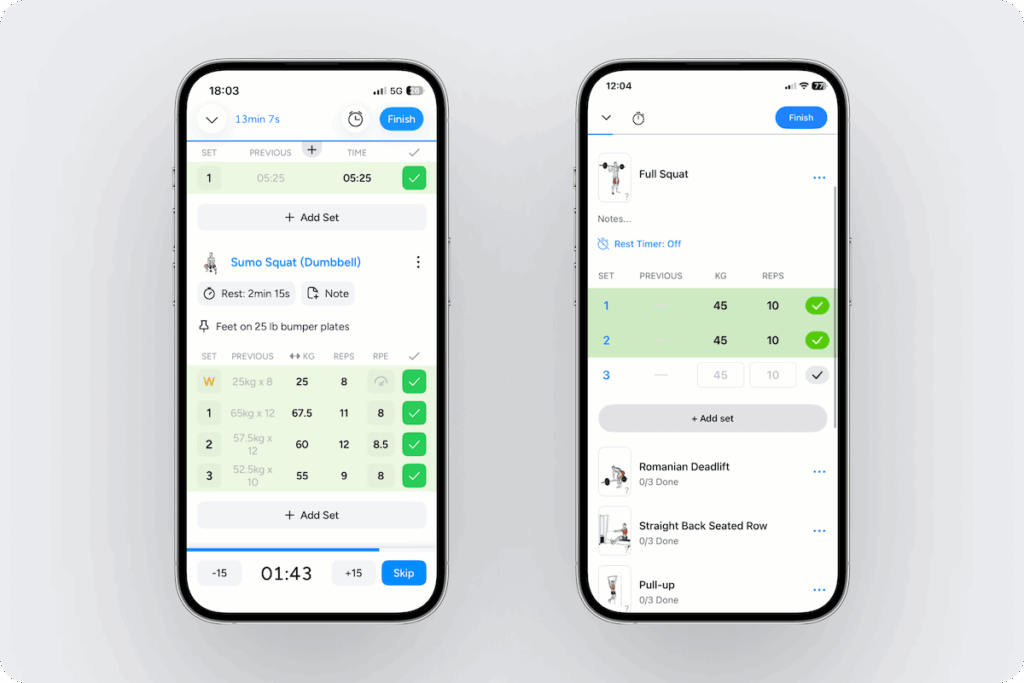
Hevy logs a set in 2 taps when you edit weight or reps and 1 tap when they’re carried over from your previous session, with the rest timer starting on completion. RPE is entered inline, in the same row as weight and reps, and effort is captured per set. Set-type toggles for warm-up, normal, failure, and drop sets are at the beginning of the row.
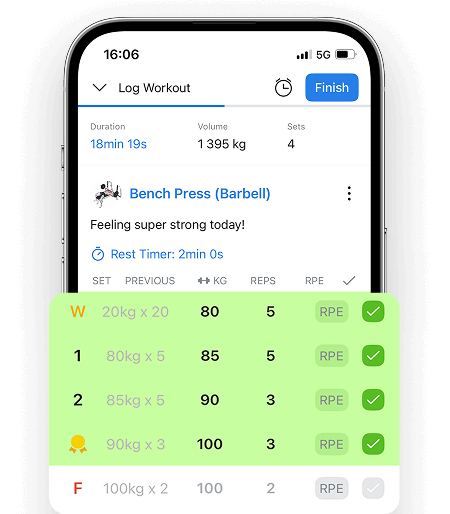
Lyfta matches the tap count, with the auto rest timer also beginning on completion. RPE sits under the reps field per set in a separate entry rather than its own column, which can be unintuitive to find. Set-type toggles include warm-up, failure, drop, negative and partial reps, left and right, myo-reps, feeder, top set, or back-off set.
The tap count and rest timer are identical; Hevy wins on easily accessible RPE placement, and Lyfta wins on set-type coverage. If you want to easily track RPE per set, Hevy’s placement saves you time, and if you use myo-reps, feeder sets, or top and back-off sets, Lyfta has them natively.
Create and customize routines2 (Winner: Lyfta)
Hevy and Lyfta’s routine builders are very similar: add a title, exercises, weights, reps or rep ranges, set types, and rest timers.
Hevy gives you 4 routines on the free tier and unlimited with Pro; however, Lyfta has no visible cap on the free tier. Lyfta wins this category on free tier accessibility.
Program library3 (Winner: Depends on What You Value)
Hevy’s free program library contains 26 full splits for all levels, organized by category. It also hosts a variety of routines, including options for at-home, travel, resistance band, cardio and HIIT, gym, bodyweight, and suspension band workouts. All of them are free and curated by Hevy.
Lyfta advertises hundreds of free programs, built around popular splits. Premium adds further programs and exclusive plans. On the free tier, you can search for programs, including by coach, but there is no category filter.
Lyfta’s library also holds community uploads, and the app doesn’t distinguish between those and any curated plans, so it’s difficult to discern a program built by a professional from a program built by a beginner without visiting the creator’s profile.
Hevy’s library is better curated: every program is vetted and filterable by category, while Lyfta’s larger library mixes expert and community plans without labeling which is which. If you want sheer volume and don’t mind checking creator profiles, Lyfta offers more choices.
Progression and history4 (Winner: Hevy)
Hevy’s free tier records more detail, with non-exercise-specific analytics capped at 3 months.
Free tier progression tracking:
| Feature | Hevy Free | Lyfta Free |
| Workout history | Full, editable | Full, editable |
| Strength PRs | Weight, 1RM, set and session volume, set records | Est. 1RM, weight, reps, set and session volume |
| Cardio PRs | Pace, distance, time | Distance, time |
| Per-exercise stats | Volume, weight, and rep graphs | Lifetime totals, rep-target estimates |
| Progress charts | Last 3 months | Last 12 months |
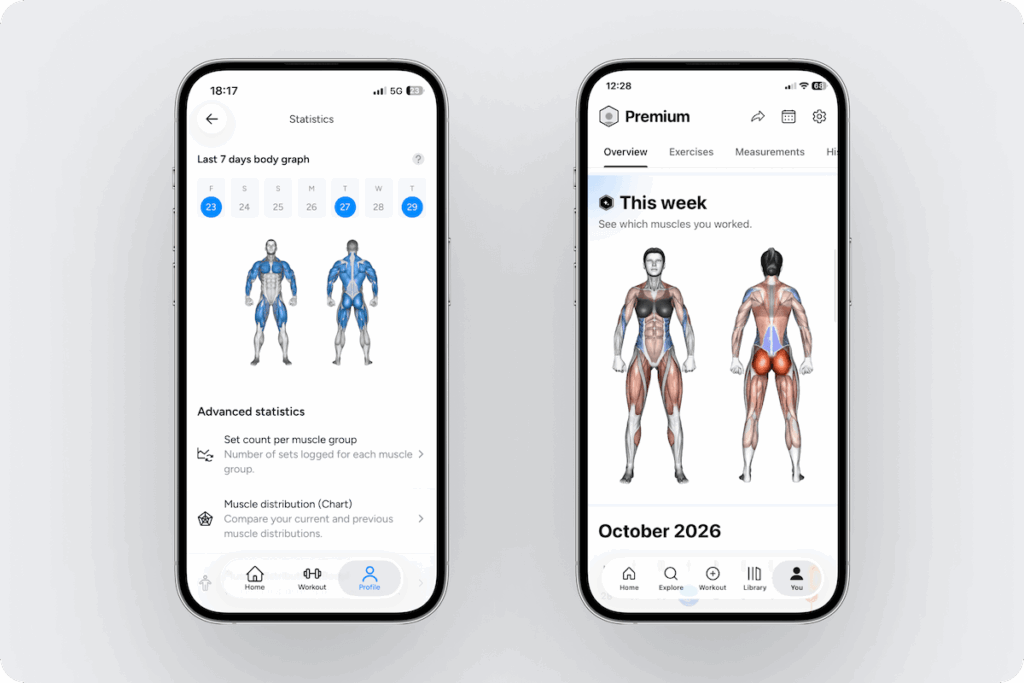
| Muscle heatmap | Yes (chart & body map) | Yes, with recovery |
| Calendar | Multi-year | Past month |
| Reports | Monthly | No |
| Body measurements | Weight and waist | No |
Both paid tiers unlock all-time charts, but Lyfta keeps more of its analytics for Premium, including post-session analysis and body measurement tracking.
What paying adds:
| Feature | Hevy Pro | Lyfta Premium |
| All-time charts | Yes | Yes |
| Muscle volume analysis | Set count per muscle | Muscle split analysis |
| Muscle heatmap | Weekly | Included free |
| Post-session analysis | No | Training zones, rep ranges, PR summaries |
| Workout log views | Free calendar covers this | Monthly/weekly log |
| Body measurements | Yes; Included in free is waist | Yes |
Hevy takes the category on the depth of its progression tools. It offers a multi-year calendar and monthly reports on the free tier; Lyfta’s free tier contains the muscle heatmap but less access to long-term training history (calendar-only). If long-term tracking and reviewing matters to you, Hevy is the better fit.
Offline reliability5 (Winner: Hevy)
Hevy is almost fully functional offline. Saved routines, set logging, exercise instructions, and previous performance data all remain available, so a session can be run from start to finish. The only gap is saving a new split from the library to your profile, which requires a connection. Everything offline syncs back automatically once you’re online.
Lyfta is mostly functional offline. You can start empty workouts and routines, as well as view previous performance data and the exercise library, but you can’t browse or create programs, and the AI feedback tab doesn’t load offline.
Hevy’s offline coverage is broader; if you train from routines you’ve already saved, both apps will get you through the session, but Lyfta’s limits block building programs mid-workout. For offline functionality, Hevy is the better option.
Intelligence and Program Generation
| Element | Hevy | Lyfta | Winner |
| Smart program generation1 | Trainer (Pro), algorithmic | In-app routine generation with prompt input | Hevy1 |
| AI features2 | No native AI coaching features; option for AI integrations | AI prompt to generate workouts | Tie2 |
Smart program generation1 (Winner: Hevy)
Hevy’s Trainer asks a set of onboarding questions: primary goal, experience, biology, equipment, training frequency, session length, and priority muscle group. It then generates a complete program with workouts, exercises, rep ranges, rest periods, starting weight recommendations, and tips.
Lyfta’s program generation runs on a prompt. You can describe the routine you want, supply equipment, target muscles, and available time, and it returns a routine. You can use this as a saved routine or begin immediately as a new workout.
Trainer produces a multi-week adaptive plan and a progress report. Lyfta produces a single session or routine you run yourself. Hevy takes the category for providing a structured plan that progresses with you.
AI features2 (Winner: Tie)
Hevy connects to ChatGPT and Claude through its official plugins, letting you ask questions about your training history, graph progress, and generate a workout plan that saves into Hevy (up to 4 routines on the free tier).
Lyfta puts AI inside the app. You can add a prompt to build a routine and use it right away, or use ‘AI feedback’ for your session, which briefly overviews your highlights and PRs.
Each app handles AI differently. Hevy lets you query your own training data through ChatGPT and Claude, while Lyfta builds routine generation and post-session feedback into the app itself. Which works better depends on whether you already use ChatGPT or Claude, so this category is a tie.
Social and Motivation
| Element | Hevy | Lyfta | Winner |
| Social feed and community1 | Built-in social feed and discover page (can be disabled in settings) | Built-in social feed with community and for you tabs | Tie1 |
| Challenges and streaks | Weekly streak counter, leaderboards | Weekly streak counter, monthly challenges | Tie |
| Personal trainer integrations2 | Hevy Coach platform | Lyfta Coach platform | Hevy2 |
Social feed and community1 (Winner: Tie)
Hevy’s social feed exists under the Home page and allows you to view, like, comment on, and save workouts from people you follow, as well as discover other athletes. You can post your workouts publicly or privately to your followers, and add media and notes to your sessions.
Lyfta’s feed works in a similar way; it shows workouts from people you follow and the community on the home page, allowing you to like and comment on them. You can save routines from a post into your library, share your own workouts, add media and notes, and set your profile as either private or public.
Because each app’s social features are similar, this category is a tie.
Personal trainer integrations2 (Winner: Hevy)
Hevy offers Hevy Coach, a separate platform that allows trainers to work with their clients through the app. Hevy Coach features client management, allows you to build and assign programs through Hevy, chat with clients, and track their progress.
Lyfta offers Lyfta Coach, a separate platform where coaches build structured programs and monitor client progress. Clients also train in the native Lyfta app.
Hevy Coach is a more complete tool, with client management and options for collaboration (Team). Lyfta Coach is narrower, focusing on program building and client monitoring, so Hevy wins this category.
Trust signals
| Element | Hevy | Lyfta | Winner |
| Ratings and reviews | 4.9 on the App Store (390k+ ratings) 4.9 on the Play Store (285k+ ratings) | 4.8 on App Store (30k+ ratings) 4.7 on the Play Store (63k+ ratings) | Hevy |
| Company maturity and updates | Consistent updates (every week or so), active development | Regular updates (every few weeks), active development | Hevy |
Verdict
Across the 23 categories we compared, Hevy wins 10, Lyfta wins 4, 8 are tied, and 1 comes down to what you value. Hevy wins on price, progress tracking, and structured programming. Its Pro plans cost about half of Lyfta’s Premium or less, and its free tier adds a plate calculator, a multi-year calendar, and monthly reports. Hevy also works almost entirely offline, and, with Pro, Trainer builds a full adaptive program. On top of that come the ChatGPT and Claude integrations and Hevy Coach, the more complete coaching platform.
Lyfta wins on its 5,000+ exercise library, importing from six apps, unlimited routines on the free tier, and custom exercises that had no cap on the free tier in testing. The program library comes down to whether you want a curated set of programs or a larger library that mixes in community ones.
| Choose Hevy if you want… | Per-set RPE logged right next to weight and reps Long-term tracking with a multi-year calendar and monthly reports Sessions that work almost entirely offline A multi-week Trainer program that adapts to your performance (Pro) A lower price than Lyfta Premium on every plan |
| Choose Lyfta if you want… | The largest exercise library (5,000+) Specialist set types like myo-reps and top or back-off sets Unlimited routines and in-app AI routine generation on the free tier An easy import from another app |
Other comparisons: